
Power, display, and session reality
Reboot, confirm the monitor path on desktops, and avoid tuning through remote-desktop layers that hide the discrete GPU.
Driver integrity beats superstition
Major branch jumps sometimes need a clean reinstall. Document the version you install so rollback is a file move, not archaeology.
Multi-GPU and laptop routing
MUX modes and hybrid switching decide which adapter is active. If sensors look idle during gameplay, verify which GPU is driving the framebuffer.
Application state and profiles
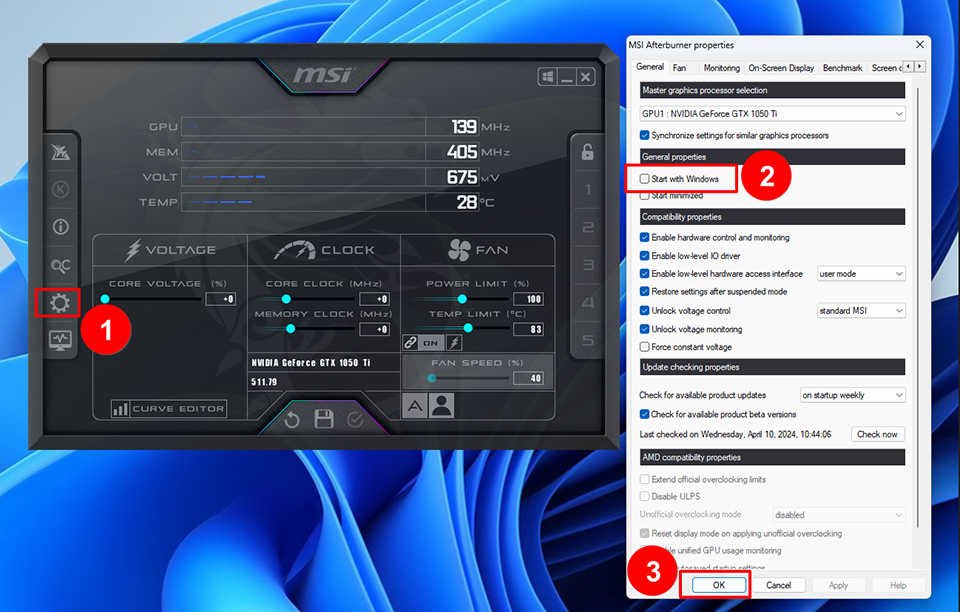
Reset Afterburner defaults, disable auto-load temporarily, and confirm no third-party skin is corrupting layout files if startup crashes persist.
When to ask humans
Collect model, driver branch, Afterburner version, and screenshots of Device Manager plus Afterburner. Communities answer faster with evidence than with adjectives.